


Cube

Cube Computer

Cloud computers for running your agents.

Enter your email to receive the Cube installer link. Open it on your Mac to install Cube.

Your agents keep running
when your laptop closes.

A Cube is a computer in the cloud. Use the Mac app to start agents, run commands and check their progress. Closing the app leaves your Cube running.

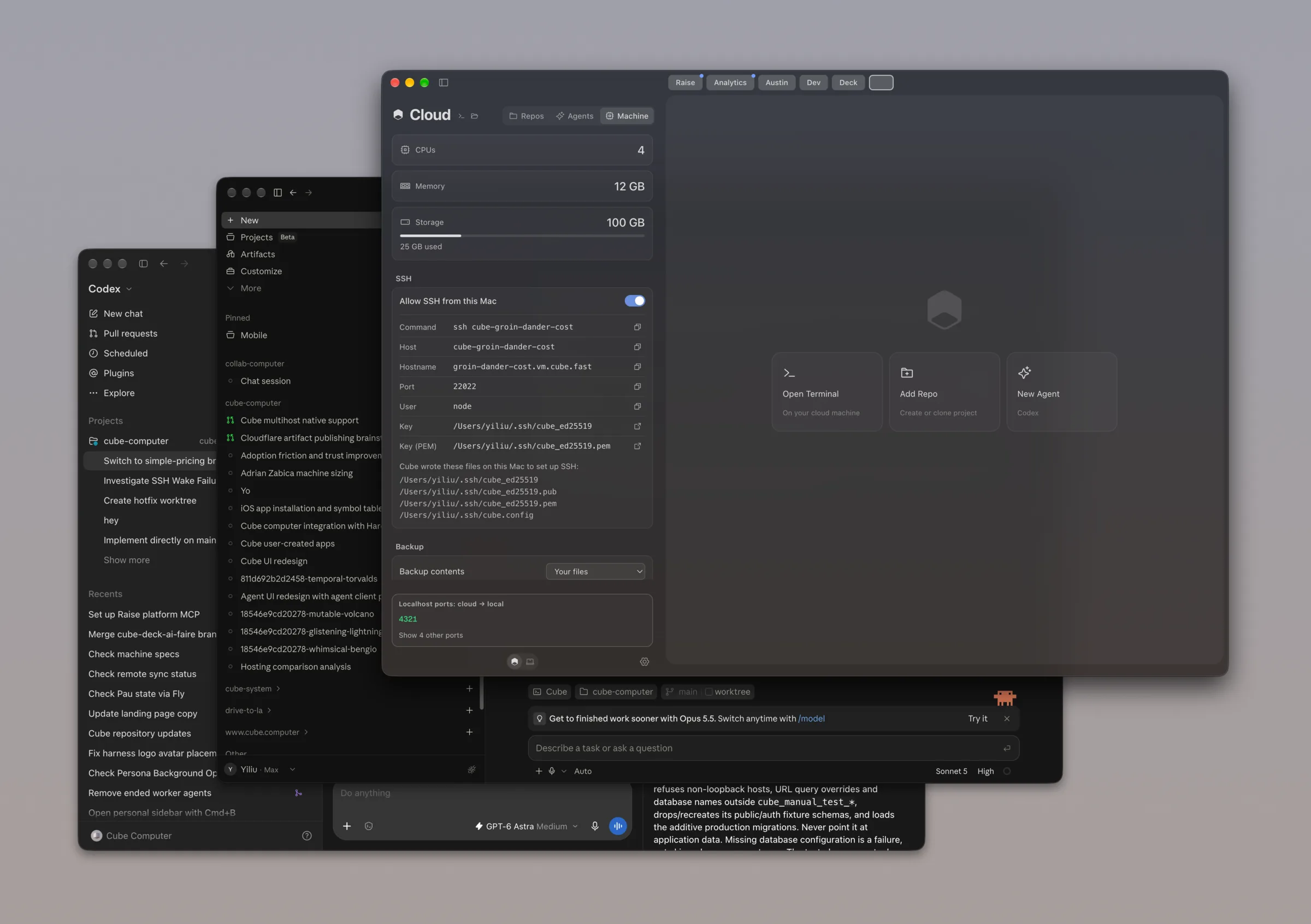
The Cube app showing a cloud machine with 4 CPUs, 12 GB of memory and 100 GB of storage, in front of Codex and a Claude Code session

Open your GitHub repos
in Cube.

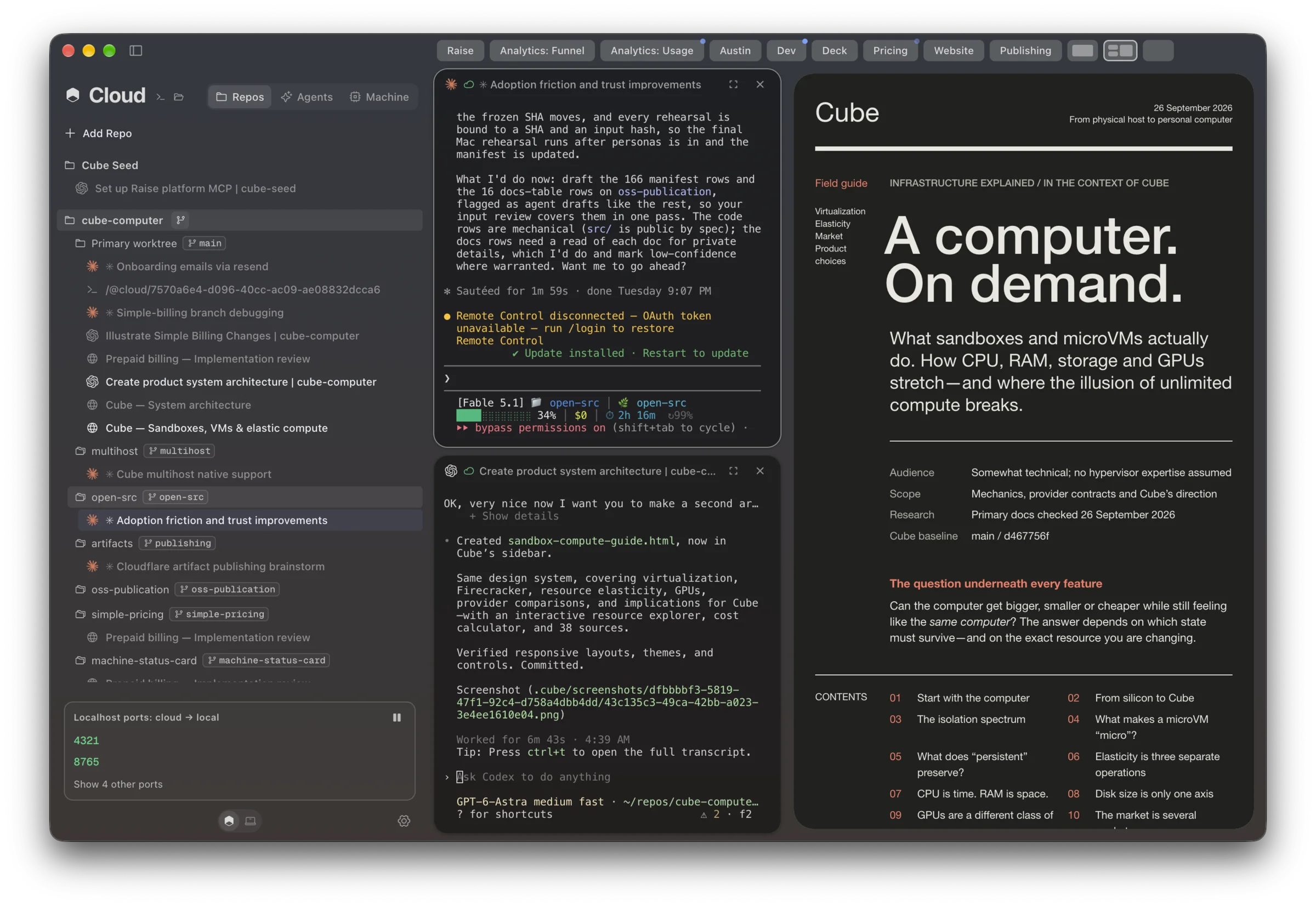
Sign in with GitHub, choose a repository and open it on your Cube. The sidebar shows your repos, worktrees and running sessions.

Cube’s Repos view: repositories with their worktrees and sessions in the sidebar, beside two agent sessions and an open artifact

Run terminal agents
on your Cube.

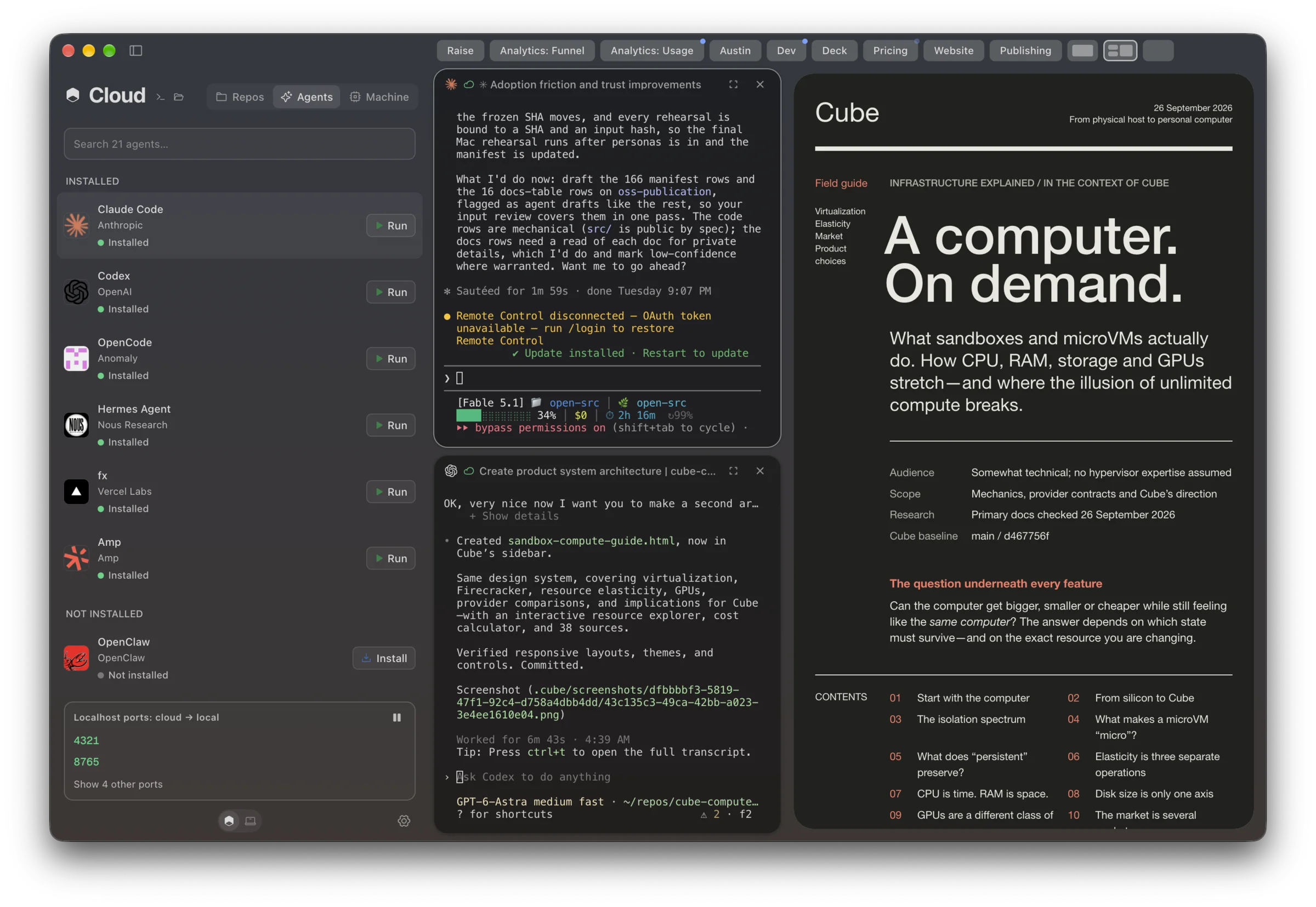
Install command-line agents on your Cube and run them against your repositories. Each agent runs on the cloud machine, with access to its files and tools.

Cube’s Agents view: Claude Code, Codex, OpenCode, Hermes Agent, fx and Amp installed, OpenClaw ready to install, beside two agent sessions

Use your apps.
Connect to your Cube.

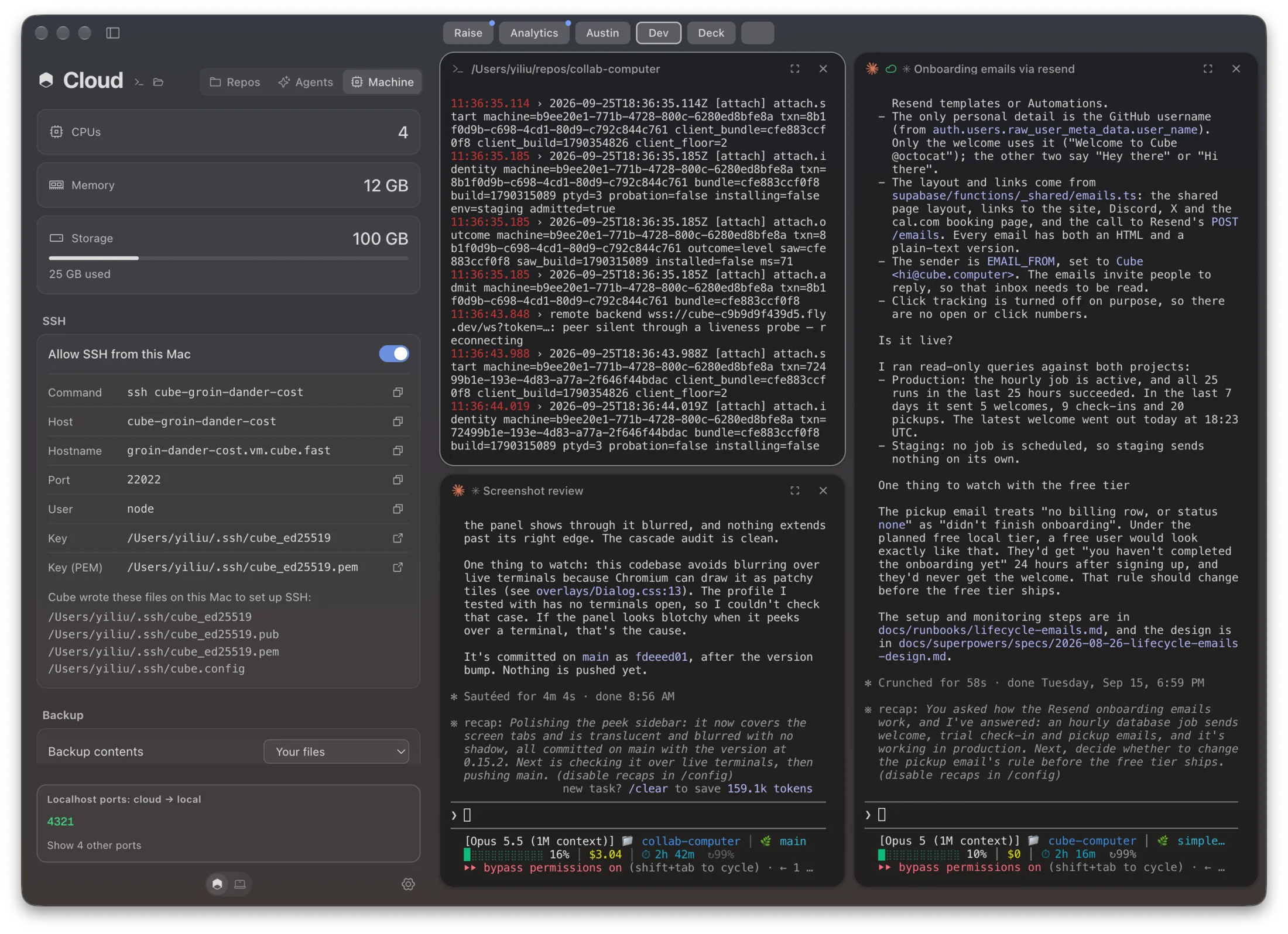
Connect Claude Code, Codex or Herdr over SSH, open your repos in an editor, or use your favorite terminal. Cube provides the connection details in its Machine panel.

Cube’s Machine panel with SSH enabled and the command, host, port, user and key to connect

Separate tasks.
Keep sessions organized.

Use Git worktrees to work on separate branches, group sessions into screens, and check on running agents from your phone.

Check sessions from your phone

See what your agents are doing and send a follow-up from your phone. The sessions keep running on your Cube.

Run tasks in separate worktrees

Give each task its own branch and working directory. Run agents side by side without mixing their uncommitted changes.

Group sessions into screens

Put related agents and terminals on the same screen. Switch between groups as you move from one project to another.

Price & specs.

Pick the processor, memory and disk, then how long it runs. Pay from prepaid credit: compute while running, disk storage while running or paused.

Per running hour, incl. disk$0.000
Estimated per month$0.00

Set up your Cube.

Download Cube, sign in, and follow the credit and machine setup. Then connect an agent and add your first repository.

  1. 01

    Download Cube

    Install the desktop app on your Mac and sign in with GitHub.

  2. 02

    Set up your cloud machine

    Claim eligible starter credit, configure CPU, memory, and storage, then choose Start my Cube.

  3. 03

    Start an agent

    Add a repository, connect your agent account, and open a session.

A new home
for your agents.

Download for Mac